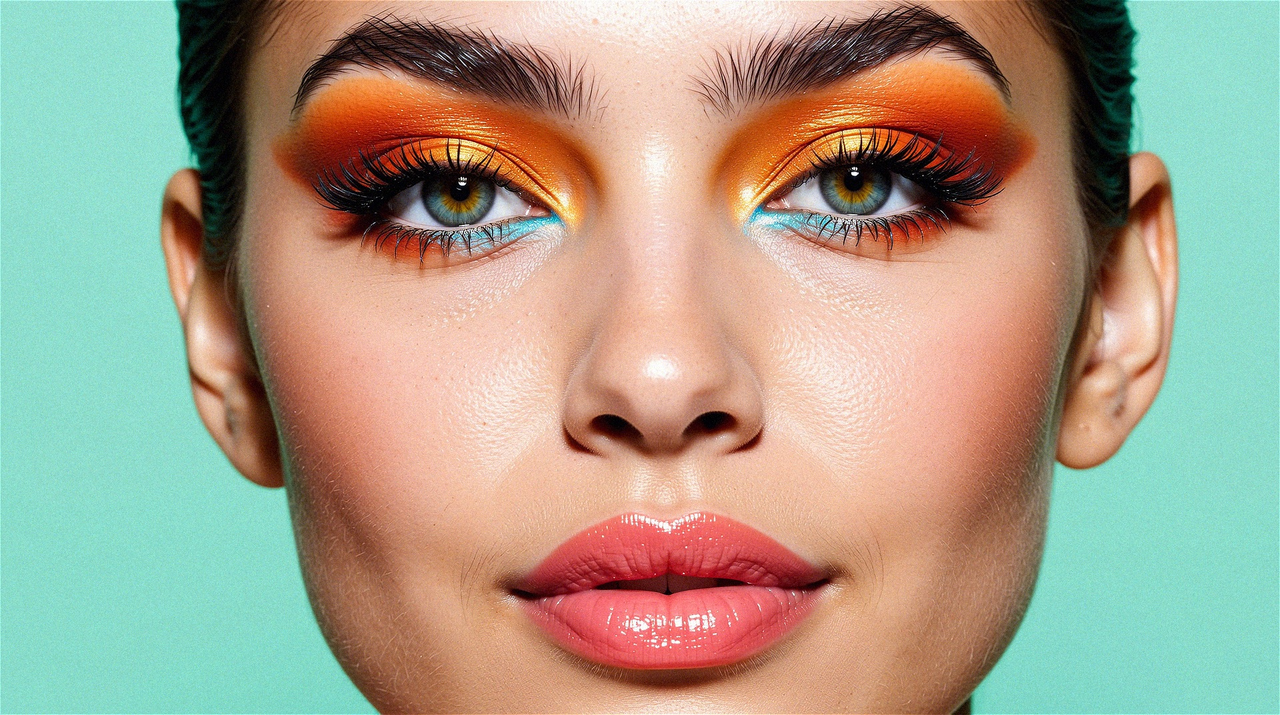
Better Than FLUX!? Create Stunning Images with WAN
For a long time, Flux has been considered the top model for image generation. But now, a new contender, WAN, is making waves, delivering even more impressive results—especially for realistic, cinematic visuals.
👉 Try it now: https://textideo.com/model/wan2-2
Why WAN Stands Out
While Flux continues to be widely praised, WAN was originally designed for video generation, yet it also shines at single-frame image creation.
By simply setting the frame count to 1, WAN can generate high-quality static images with stunning detail and cinematic atmosphere.
Get 100 Free Credits
New users signing up on Textideo will receive 100 free credits instantly.
These credits let you explore all features of the model right away—no payment required. It's the perfect way to test its capabilities and see what you can create before subscribing.
Features & Benefits
- Detailz-WAN → Enhances facial details, skin texture, depth, color, and lighting
- MPS Rewards → Uses reward backpropagation to improve prompt adherence and overall quality
- LightX2V Fast → Speeds up image generation
- FusionX → Balances speed, prompt alignment, and smoothness
👉 Workflow & demo: https://textideo.com/model/wan2-2
All LoRAs come pre-tuned for optimal results but can still be customized to fit your needs.
Best Use Cases
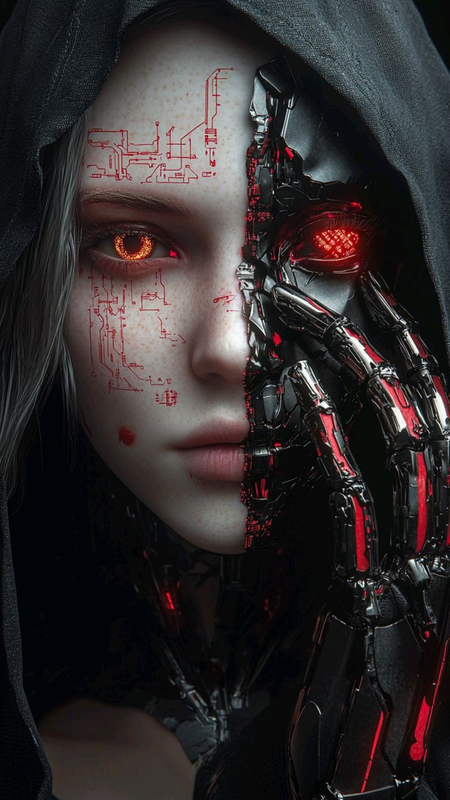
WAN is ideal for cinematic, high-impact visuals.
One of its most practical applications is creating ad posters, especially when combined with product images or other visual enhancements.
Quick Start Guide
- On Textideo → Click the Launch Workflow button and enter your prompt
- Local Setup → Download the workflow and models, then follow the setup instructions
Models & Nodes
For local usage:
- Download the workflow file
- Access all models via the links provided on the workflow page
For full customization, download the following node packs:
- ComfyUI Impact Pack
- ComfyUI-GGUF
- ComfyUI-KJNodes
- ComfyUI-Crystools
- VRGameDevGirl Video Enhancement Nodes
- ComfyUI-GGUF-FantasyTalking
Step-by-Step Instructions
- On Textideo, enter your prompt into the Positive Prompt node
- Click Run
- If running locally:
- Ensure all models are in the correct directories
- Check that LoRA and model nodes are correctly linked
- Set the
EmptyHunyuanLatentVideonode to length = 1
Community
Created some amazing shots with WAN? 🎬
Join our Discord to share your creations and get inspired by the community!
👉 Explore WAN today: https://textideo.com/model/wan2-2


Get 100 Free Credits
回复删除New users who sign up on Textideo will instantly receive 100 free credits.
These credits allow you to explore all the features of the model right away—no payment required. It’s the perfect way to test its capabilities and spark your creativity.
I didn’t expect a video software to generate images, and the results look cinematic—absolutely amazing! I can’t wait to give it a try.
回复删除Glad you’re impressed! 🎬 Veo3 really blurs the line between video and cinematic visuals. Can’t wait to hear what you create once you try it!
删除